
Most people should buy a MacBook Air. The Pro only makes sense when your work regularly needs the brighter XDR display with ProMotion, HDMI and SD card ports, sustained performance under continuous heavy loads, support for more external displays, or more than 32 GB of unified memory. I use both families daily—my wife on an Air for business and design, me on a Pro for development, photography, and video—and the difference shows up in real friction, not synthetic scores.

Current Pricing and What You Actually Get
A 13-inch MacBook Air with the M5 chip, 16 GB of memory, and 512 GB of storage starts around $1,299 before education or retailer discounts. The 15-inch Air sits a step higher. A 14-inch MacBook Pro with the base M5 chip begins near $1,999, and Pro or Max configurations climb quickly from there. Student education pricing and occasional retailer promotions can narrow the gap, but the structural difference remains clear.
These starting numbers matter because the Air already ships with the current-generation chip and the new 16 GB floor. Paying the Pro premium only makes sense when the extra features appear in your weekly workload. Street prices fluctuate week to week, so checking current education-store and major-retailer listings before buying is always worth a few minutes. Trade-in value on an older Mac can further reduce the net cost, and refurbished units from Apple still carry remaining warranty coverage. The total cost of ownership includes docks, external storage, and the years of software support you can expect—factors that often favor a well-configured Air over a lightly used Pro.
What the Air Handles Without Struggle
The MacBook Air is fanless, so it stays completely silent under normal loads. The 13-inch model weighs about 2.7 pounds; the 15-inch version remains easy to carry all day. Battery life routinely covers a full workday of writing, browsing, video calls, light photo editing, and coding. The Liquid Retina display is sharp and color-accurate enough for most creative work that does not require HDR finishing or critical color review.
In daily use the Air manages dozens of browser tabs, multiple productivity apps, moderate Lightroom libraries, short video projects, Docker containers for development, and local AI tools such as Ollama or LM Studio without drama—provided memory is at least 16 GB. The M5 chip family delivers enough sustained performance that thermal limits rarely become the bottleneck for typical student, remote-worker, or light-creative schedules. Portability and silence matter more than peak GPU numbers for those workflows. The cheaper model wins if your work looks like college coursework, remote office productivity, web development, photography that stays inside Lightroom and Photoshop, occasional video, or everyday creative tasks.
Where the Pro Justifies the Extra Cost
The MacBook Pro adds a Liquid Retina XDR display with higher sustained brightness and 120 Hz ProMotion, active cooling that holds performance under long exports or compiles, HDMI and an SDXC card slot on most configurations, additional Thunderbolt ports, and higher memory ceilings. The Pro and Max chips unlock more GPU cores, higher memory bandwidth, and support for more external displays.
These features matter when you regularly edit multicamera 4K or higher timelines, run long code builds, train or run larger local models, need accurate HDR review on the built-in screen, or connect multiple external monitors without constant docking gymnastics. The fan allows the machine to maintain higher performance for hours instead of stepping down after thermal limits appear. I notice the difference most clearly during sustained Final Cut or Premiere exports and heavier local AI workloads. The Air can complete the same jobs; the Pro finishes them faster and with less heat-related slowdown. For color-critical work the XDR panel reduces the need to move to an external calibrated monitor for every review pass.
Memory and Storage Decisions That Outweigh Chip Marketing
Unified memory cannot be upgraded later. In 2026 every current MacBook Air and base Pro ships with at least 16 GB as the floor. That amount is comfortable for most students, remote workers, and light creative users. Jumping to 24 GB is the practical next step if you keep large photo libraries open, run multiple virtual machines or Docker stacks, or edit 4K video regularly. Higher configurations make sense for professional video, 3D, or large local model work.
Storage follows the same logic. Base 512 GB is usable if you stay disciplined with external drives and cloud storage. Many people are happier with 1 TB inside the machine so the system does not constantly manage external media. The cost of the storage upgrade at purchase is usually lower than years of friction and the risk of losing files when an external drive fails. Choosing memory and storage carefully at the checkout screen has a larger long-term impact on daily usability than the difference between base M5 and M5 Pro chips for most buyers.
Real Scenarios That Make the Choice Obvious
A college student writing papers, attending Zoom classes, managing cloud files, and doing light photo work for a side project is almost always better served by a 13-inch or 15-inch Air with 16 GB. The weight difference and silent operation matter on campus and in libraries. A remote software developer living in Terminal, Homebrew, a code editor, and modest Docker containers will find the Air sufficient for most days. The Pro becomes attractive only if large projects or heavier container stacks run for hours at a stretch.
A photographer whose work lives primarily in Lightroom and Photoshop can stay on the Air when memory is adequate. Moving to the Pro makes more sense when the same person also finishes frequent 4K video or needs the XDR screen for client reviews. A video editor who regularly works with multicamera timelines, effects, and color grading under deadline pressure is the clearest Pro candidate. The cooling, display, and ports save time that compounds across every project. Matching the machine to the work that happens most days—not the work you hope to do someday—prevents expensive mismatches.
Ports, External Displays, and Hidden Daily Friction
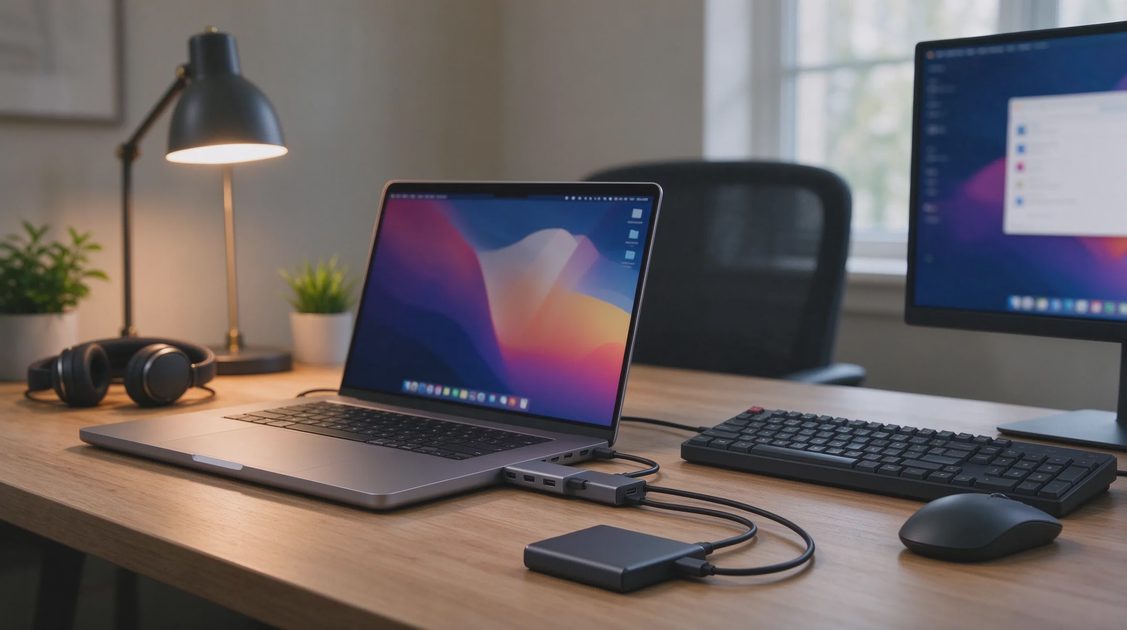
The Air offers two Thunderbolt ports. The Pro adds more Thunderbolt ports plus HDMI and an SD card slot on most models. If you constantly reach for a dongle or dock just to connect a single external display and an SD card from a camera, the Pro removes daily friction. If you already use a dock or rarely need those ports, the Air’s simplicity is fine and keeps the bag lighter.
External display support is another quiet differentiator. Base Air models handle a limited number of external displays. Higher Pro configurations support more. Dual-monitor desk setups are possible with either machine, but the Pro makes the arrangement more flexible when the laptop lid is closed or when additional screens are required for reference material, timelines, or communication apps. These small differences add up over months of daily use.
Total Cost, Longevity, and the Clear Recommendation
Apple’s education store offers meaningful discounts for eligible students and educators. Retailer promotions and trade-in value further reduce net cost. An Air configured with 16 GB or 24 GB and adequate storage will remain useful for five or more years for the majority of users. The same is true of a thoughtfully configured Pro. Buying more machine than you need simply because the Pro feels more “professional” is the most common expensive mistake I see.
Buy the 13-inch or 15-inch MacBook Air with at least 16 GB of unified memory unless you specifically need the XDR ProMotion display, HDMI and SD ports, sustained high performance under continuous heavy loads, support for more external displays, or more than 32 GB of memory. In those cases the 14-inch MacBook Pro with the appropriate chip becomes the rational choice. Match the machine to the work you actually do most days. Your current Mac may still be the right Mac.